
Expired domains can retain valuable backlinks and SEO signals, making them an attractive option for website owners looking to strengthen their online presence. One strategy that often comes up is the expired domain 301 redirect method, but there is still confusion about how it works and whether it remains effective under Google’s current guidelines.
This guide explains how the expired domain 301 redirect method works, when it makes sense to use it, the potential risks involved, and the best practices to follow before redirecting an expired domain to your website.
What Is the Expired Domain 301 Redirect Method?
The expired domain 301 redirect method is an SEO strategy that involves purchasing an expired domain and permanently redirecting it to another website using a 301 redirect. The goal is to preserve and consolidate relevant SEO signals, such as backlinks and referral traffic, from the expired domain to the destination website.
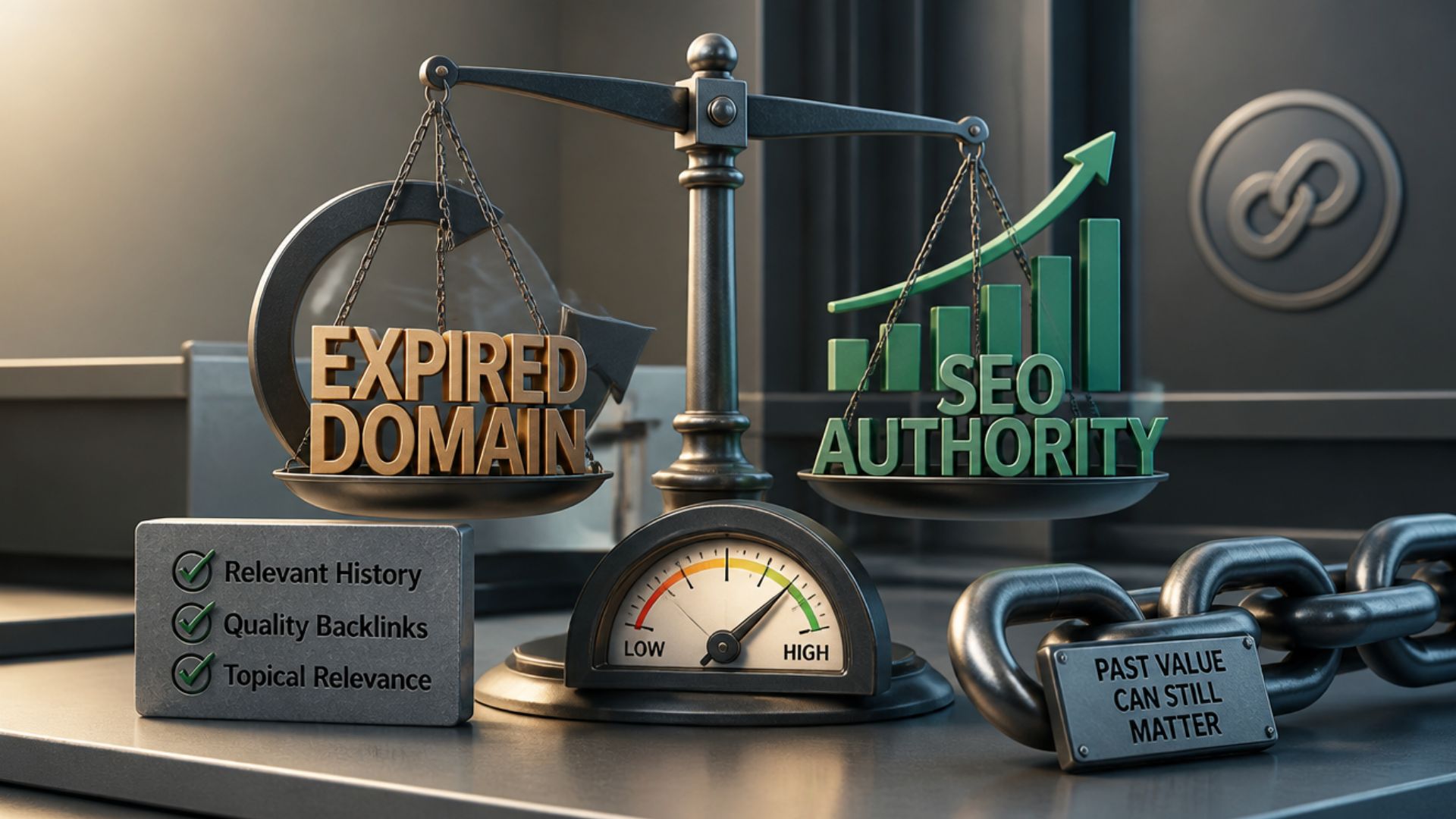
However, not every expired domain is suitable for this approach. The effectiveness of an expired domain redirect depends on factors such as topical relevance, backlink quality, domain history, and whether the redirect provides a legitimate benefit to users.
When used appropriately, it can support website migrations, brand consolidations, or the acquisition of closely related websites. When used solely to manipulate search rankings, it may provide little SEO value and could violate Google’s spam policies.
How the Expired Domain 301 Redirect Method Works
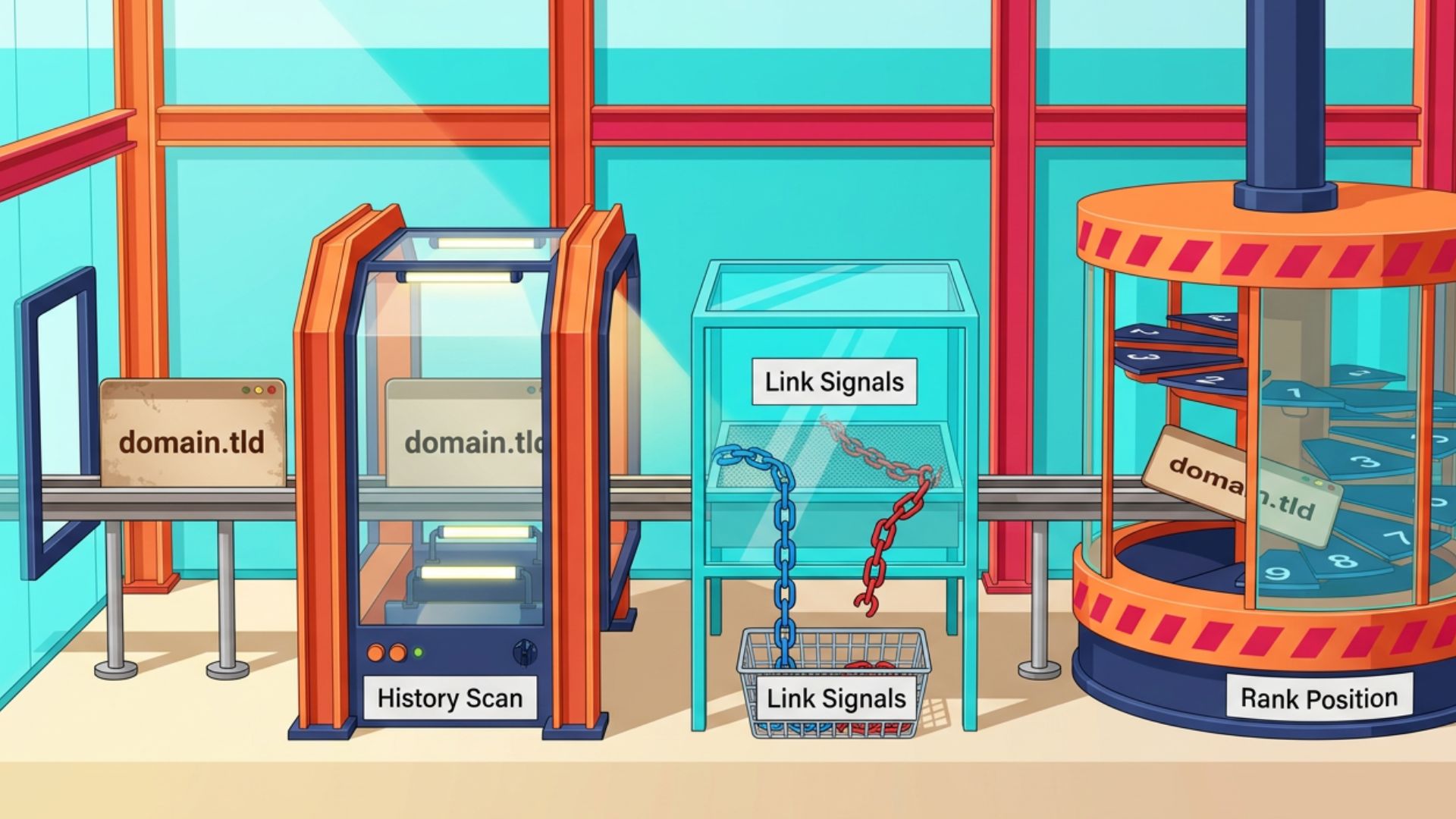
The expired domain 301 redirect method involves more than purchasing an expired domain and pointing it to your website. To understand how it works, it’s important to look at each stage of the process, from choosing the right domain to how search engines evaluate the redirect.
1. Find an Expired Domain Related to Your Website
The first step is to find an expired domain that closely matches your website’s topic or industry. This is important because search engines evaluate whether the redirect makes sense based on the relationship between the old and new websites.
Example: If your website is about home gardening, an expired domain that previously published gardening tips or landscaping advice is a much better fit than one that covered cryptocurrency or online gambling domain. The more topically relevant the domain is, the more natural the redirect appears to both users and search engines.
2. Review the Domain’s History Before Buying It
Not every expired domain is worth purchasing. Before you invest, review its history to understand how it was used and whether it has a trustworthy backlink profile.
Look for signs that the domain previously published legitimate content, earned backlinks from reputable websites, and wasn’t repurposed for spam or other manipulative SEO tactics. A domain with a clean history is far more likely to provide long-term value than one with toxic backlinks or a history of abuse.
3. Set Up a 301 Redirect to the Most Relevant Pages
After purchasing the expired domain, configure a 301 redirect to your existing website. While you can redirect the entire domain to your homepage, it’s often more logical to redirect individual pages to closely related content whenever those pages still exist or can be mapped to equivalent resources.
Example: If the expired domain had a page about vegetable gardening and your website has a similar guide, redirecting that page directly to your vegetable gardening guide creates a better experience than sending every visitor to your homepage.
For instance, redirecting examplegarden.com/vegetable-garden-guide to yourwebsite.com/vegetable-garden-guide preserves topical relevance far better than redirecting every URL on the expired domain to a single homepage.
4. Search Engines Evaluate the Redirect
After the redirect is implemented, search engines begin crawling the old URLs and processing the permanent move. However, a 301 redirect alone doesn’t guarantee that all SEO value will be transferred.
Instead, Google evaluates several factors, including the relevance between the two websites, the quality of the expired domain’s backlinks, its historical use, and whether the redirect provides value to users. If the redirect appears natural and aligns with the domain’s original purpose, Google may consolidate relevant ranking signals with the destination website over time.
5. The Redirect Supports, Not Replaces, Your SEO Strategy
When implemented correctly, an expired domain redirect can help preserve valuable backlinks and strengthen your website’s overall SEO profile. However, it should be viewed as a supporting strategy rather than a standalone ranking tactic.
Sustainable SEO still depends on publishing helpful content, earning quality backlinks, and maintaining a website that provides value to users.
What Happens to Backlinks After a 301 Redirect?
A properly implemented 301 redirect allows search engines to consolidate certain SEO signals from the old domain to the new destination. However, this doesn’t mean every backlink automatically passes its full value.
Google evaluates factors such as topical relevance, backlink quality, the historical purpose of the expired domain, and the overall usefulness of the redirect. The more closely the expired domain matches the destination website, the more likely it is that relevant ranking signals will be consolidated over time.
When Should You Use an Expired Domain 301 Redirect?
The expired domain 301 redirect method is most effective when the redirect serves a legitimate purpose and provides value to users. Here are some situations where using this strategy makes sense:
- You’re migrating to a new domain: If you’re rebranding or changing your website’s domain name, a 301 redirect helps preserve traffic, backlinks, and search engine signals by directing visitors from the old domain to the new one.
- You’ve acquired a related website or business: If you purchase a website in the same niche, redirecting its relevant pages to your existing website can consolidate content and make it easier for users to find updated information.
- You’re consolidating multiple websites: Businesses that merge similar websites into a single domain can use 301 redirects to maintain a consistent user experience and reduce duplicate content.
- The expired domain is topically relevant: An expired domain that previously covered topics closely related to your website is more likely to provide value than one from an unrelated industry.
- The domain has a clean history and high-quality backlinks: Redirecting a domain with a trustworthy backlink profile and no history of spam gives you a stronger foundation than redirecting a low-quality or manipulated domain.
How to Evaluate an Expired Domain Before Redirecting It
Before implementing a 301 redirect for an expired domain, take the time to evaluate the domain carefully. A domain with a clean history, relevant content, and quality backlinks is more likely to support your SEO goals than one with a history of spam or unrelated content.
Check the Domain’s History
Review how the domain was used before it expired. Look for a consistent history of legitimate content that aligns with your website’s niche. If the domain has switched between unrelated topics or was previously used for spam, it’s generally not a good candidate for a redirect.
Review the Backlink Profile
Examine the domain’s backlink profile to understand where its links come from. Prioritize domains with backlinks from reputable, relevant websites, as these are more likely to provide lasting SEO value than domains with many low-quality or spammy links.
SEO tools such as Ahrefs, Majestic, or other backlink analysis platforms can help you review referring domains, anchor text distribution, and potentially harmful backlinks before purchasing an expired domain. Evaluating these signals early reduces the risk of inheriting SEO issues that may outweigh any potential benefits.
Make Sure It’s Relevant to Your Website
Topical relevance is one of the most important factors to consider. An expired domain that closely matches your website’s industry or subject matter creates a more natural redirect and is more likely to support your overall SEO strategy.
Watch for Red Flags
Avoid domains with signs of spam, hacked content, link schemes, or other manipulative SEO practices. If the domain has a poor reputation or a toxic backlink profile, it’s usually better to choose a different domain than risk inheriting SEO issues.
Common Mistakes to Avoid
Even when you choose a high-quality expired domain, implementation mistakes can reduce the effectiveness of a 301 redirect or create unnecessary SEO risks. Avoid these common pitfalls:
- Redirecting unrelated domains. Redirects between websites with completely different topics are less likely to provide value and may appear manipulative.
- Redirecting every URL to the homepage. Whenever possible, redirect old pages to their closest matching content instead of sending all visitors to a single destination.
- Purchasing domains based only on authority metrics. Strong backlink metrics don’t always indicate a trustworthy domain. Always review the domain’s history and backlink profile before buying.
- Creating redirect chains. Multiple redirects increase crawl complexity and can negatively affect both user experience and search engine efficiency.
- Expecting immediate ranking improvements. A 301 redirect does not produce instant SEO results. Search engines need time to crawl, process, and evaluate the redirect before consolidating relevant signals.
Best Practices for Implementing an Expired Domain 301 Redirect
Once you’ve selected a suitable expired domain, implementing the redirect correctly is just as important. These best practices can help ensure that the redirect provides a better user experience while adhering to current SEO recommendations.
- Use a permanent 301 redirect. Configure a 301 redirect rather than a temporary redirect so search engines recognize that the move is permanent.
- Redirect pages to their closest equivalents. Whenever possible, map old URLs to relevant pages instead of redirecting every page to your homepage. This helps preserve context for both users and search engines.
- Avoid redirect chains. Point the expired domain directly to the destination page to reduce unnecessary redirects and improve crawl efficiency.
- Update internal links if you control both websites. Replace old links with the new destination URLs to minimize reliance on redirects and improve long-term site maintenance.
- Monitor the redirect after implementation. Use tools such as Google Search Console to check for crawl errors, indexing issues, and unexpected changes in organic traffic after the redirect goes live.
How Long Does a 301 Redirect Take to Pass SEO Signals?
There is no fixed timeline for Google to process a 301 redirect. Search engines may begin crawling the redirected URLs shortly after the redirect is implemented, but consolidating relevant ranking signals can take anywhere from several days to several weeks depending on factors such as crawl frequency, website size, backlink profile, and the overall quality of the redirect.
Rather than expecting immediate ranking improvements, monitor indexing, organic traffic, and backlink reports over time. A well-implemented, topically relevant redirect is more likely to deliver sustainable SEO value than one intended solely to influence rankings.
Conclusion
The expired domain 301 redirect method can be an effective way to preserve valuable SEO signals when it’s used for legitimate purposes, such as website migrations, brand consolidations, or merging closely related websites. However, its success depends on choosing a relevant expired domain, implementing the redirect correctly, and providing a logical destination for both users and search engines.
Rather than viewing expired domain redirects as a shortcut to higher rankings, treat them as one part of a broader SEO strategy. The best expired domain redirects are those that make sense to both users and search engines. When relevance, quality, and user value come first, a 301 redirect can become a practical way to consolidate SEO signals while supporting your website’s long-term search performance.